和英辞典Vocabulary dictionary

漢字辞典 Kanji dictionary

文法辞典 Grammar dictionary

例文検索 Sentence lookup

test
 

掲示板 Forums - Some issues with my personal translation

Top > renshuu.org > Bugs / Problems

Page: 1 of 2


avatar
Sakai91
Level: 387

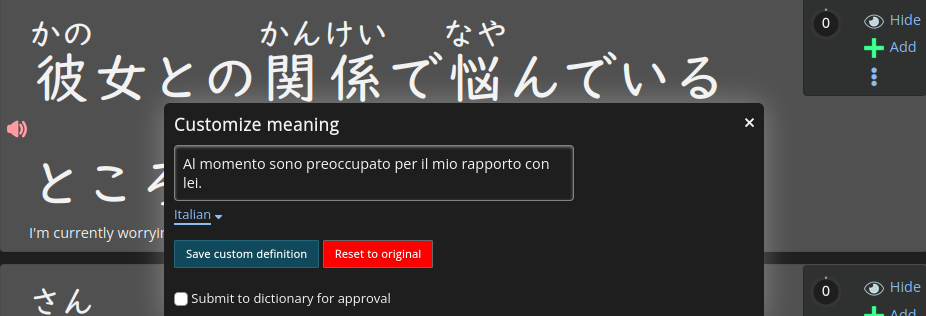
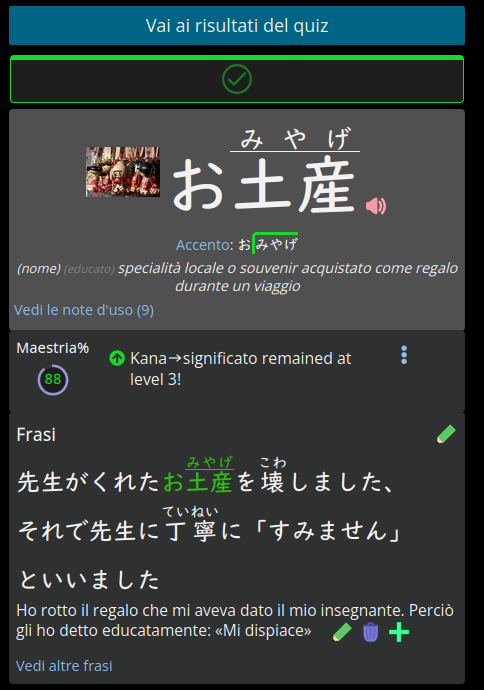
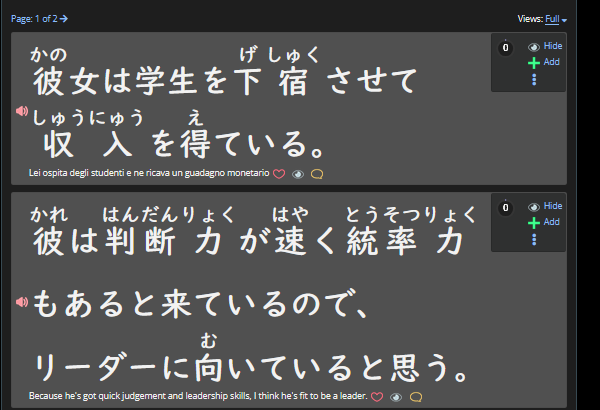
Hi, I just wanted to ask a couple of questions about translating Renshuu. I've compiled a list of some issues I've encountered and some questions I have. I hope I'm in the right section. I don't want to bother anyone. English isn't my first language, so I'd like to translate the content on Renshuu. I'm having trouble with the sentences in particular. As shown in the image, unlike the terms, there isn't a button for translation.

b334b1769578d0bc5a3ebd22.png

So I found a workaround to add it to the list. The problem is that, even though I saved the translation in the appropriate section, I still see it in English.

de404c33eed10db1650260cd.png

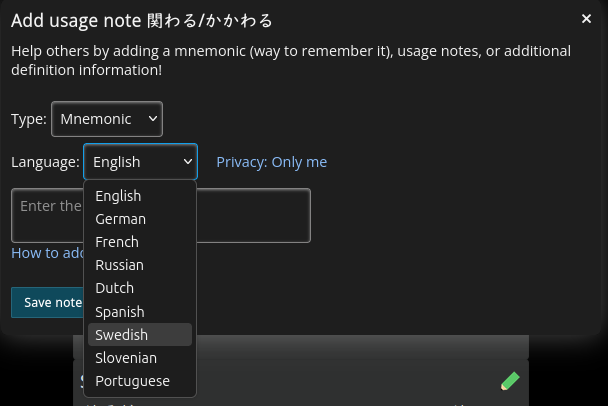
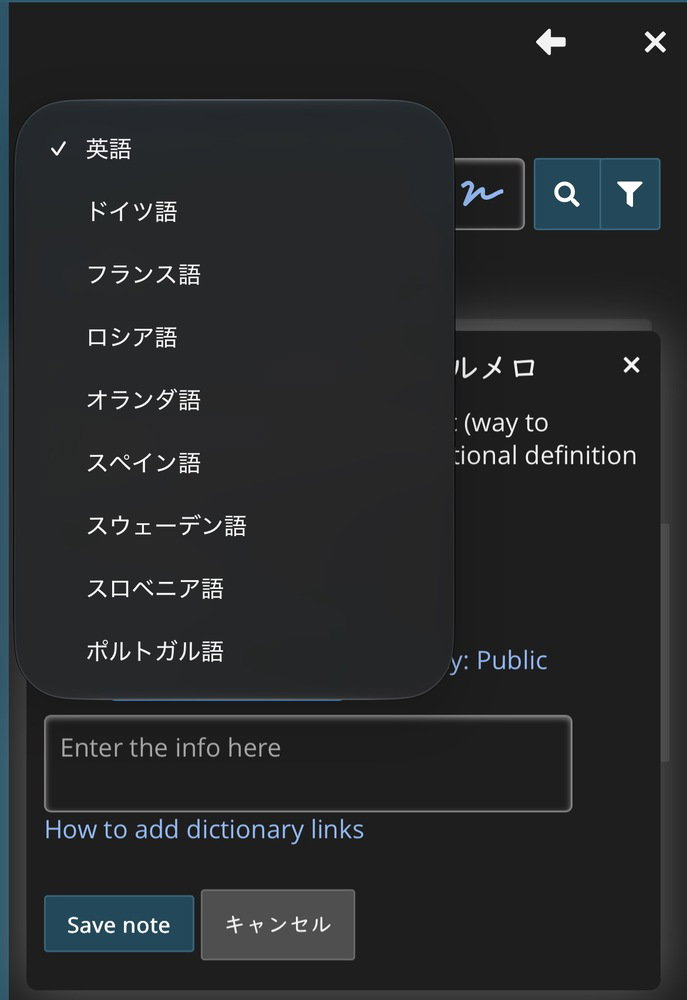
The next question: Very often, for more complex words, I use the “notes” feature, but since it's only in English, I have to translate them.

75a1d11d06f6c8f7397cc73c.pngI'm wondering if an Italian language option will ever be added, or if I can write my own translation while keeping the drop-down menu set to English but making it visible only to me.

If updates aren't possible, that's fine.
I'd just like to know about it! Thanks anyway for making Renshuu so accessible.
0
27 days ago
avatar

You shouldn’t need to do this. Italian as already available as both a display language and a dictionary language.

0
27 days ago
avatar
Sakai91
Level: 387
ポールおじちゃん (10月18日, 18:25)

You shouldn’t need to do this. Italian as already available as both a display language and a dictionary language.

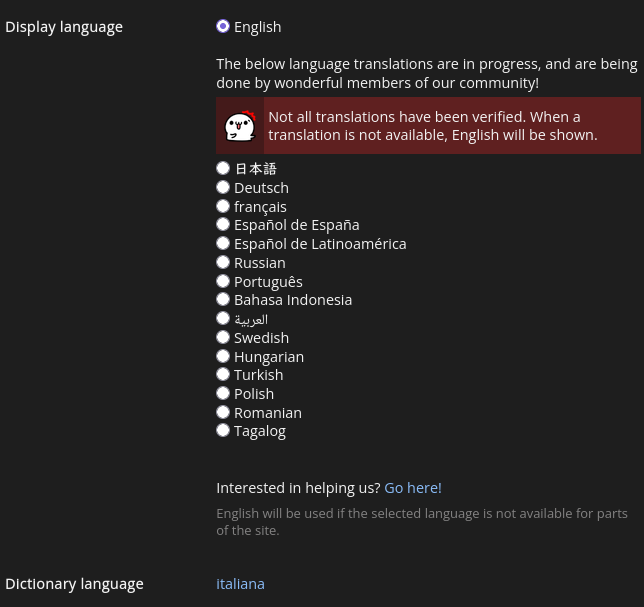
​Thanks for your reply, but Italian is only available for the dictionary, not for the display ​

a20ba7e882506eef6f7c45fc.png
0
27 days ago
avatar

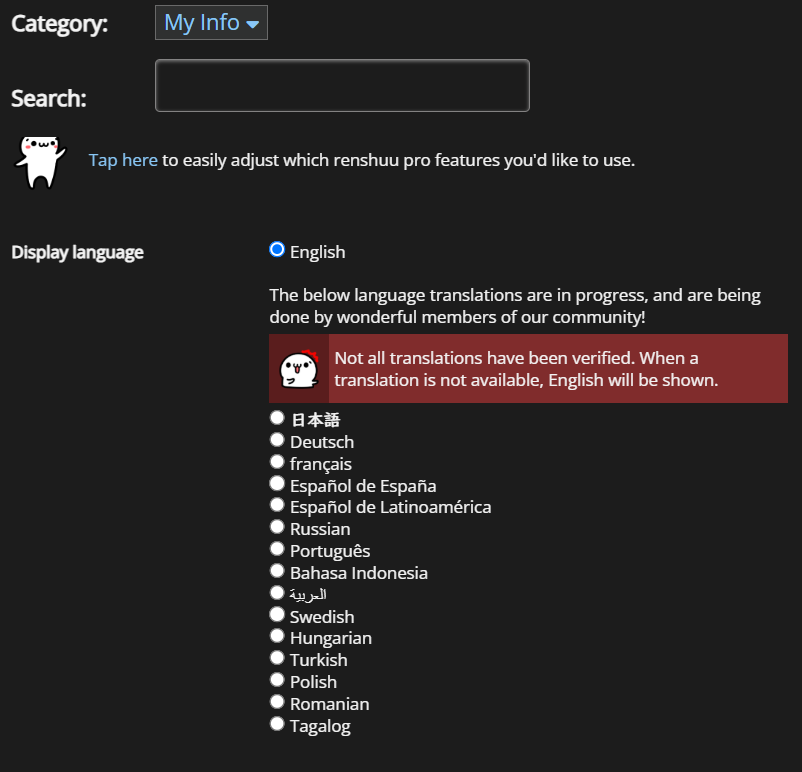
That’s weird. I see Italian along with a bunch of other languages missing from your interface.

07a2c6f1f445859dabc6fb0c.jpg


0
27 days ago
avatar

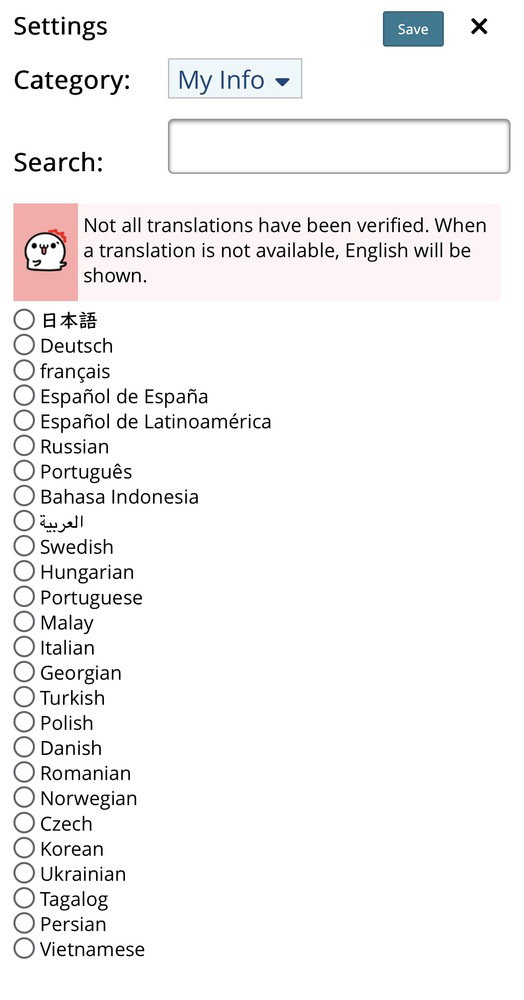
@ポールおじちゃん I don't have them either. I think you just have more than the "default" for whatever reason. Couldn't find anything in Settings.

396976084a8bdff1ba6a7730.png
0
27 days ago
avatar

Hmm. Maybe you could see it if you apply to be a translator. Seems like something Sakai91 might be interested in doing anyway.

Even I don’t see Italian as a language choice for word notes, though, so that’s something @マイコー will need to address no matter what.

0
27 days ago
avatar
マイコー
Level: 346

The full list of languages is only for translators. The reason for this is that the unlisted ones have so few translations that I feel it would be somewhat deceiving to say "oh yea, we have Italian for renshuu", only for <10% (I don't have the exact number on hand) appear in Italian.

0
26 days ago
avatar

My apologies for posting misleading information. Unfortunately, there is no way for me to see which languages are still in beta.

0
26 days ago
avatar
マイコー
Level: 346

Not at all! I don't think I've ever actually mentioned this to anyone, so there really isn't a way for anyone to know :)

0
26 days ago
avatar
Sakai91
Level: 387
ポールおじちゃん (10月18日, 21:00)

Hmm. Maybe you could see it if you apply to be a translator. Seems like something Sakai91 might be interested in doing anyway.

Even I don’t see Italian as a language choice for word notes, though, so that’s something @マイコー will need to address no matter what.

​I'm not very good at English, so I could not be of help as a translator anyway. For personal use, I don't think there are any problems, which is why I asked, so as not to bother the community with inaccurate translations


What I don't understand is that I can see the translation for the terms, but not for the phrases, nor the "Italian" option in the menu for creating notes. Is my problem related to the dictionary? Is the translation "display" only connected to the UI?


@ポールおじちゃん, I have a question for you. Since you have the languages unlocked, when you try to create a note, do you also see the Italian option that I have hidden?


@マイコー, is the translation of the phrases in the quizzes a new development? I really like the fact that they added the audio.


In the end, if there's nothing that can be done about my question, then that's fine! Thanks anyway for all your hard work!

0
26 days ago
avatar

No, I don’t see Italian (イタリア語) on the list.

3ed4bbc7ab538460e617c7ee.jpg


1
26 days ago
avatar

Michael, if I was in charge, I’d make three changes:

  1. Expand the list of word note languages considerably. It’s pretty arbitrary to include Slovenian but not Italian, Arabic, or Tagalog.
  2. Make a display language available to users who have selected that language for the dictionary even if it is still in beta.
  3. Add an asterisk or something to indicate if a display language is in beta.
1
26 days ago
avatar
マイコー
Level: 346

It's not arbitrary - it's mostly the non-English languages we started with :).

As to the other two - I'll think on it.

Regardless, I'll get some changes in by the end of the week!

1
24 days ago
avatar
Sakai91
Level: 387

Thank you all for your replies.

0
24 days ago
avatar
マイコー
Level: 346

Some updates:

1. More data on the UI options under settings, with all "available" languages visible
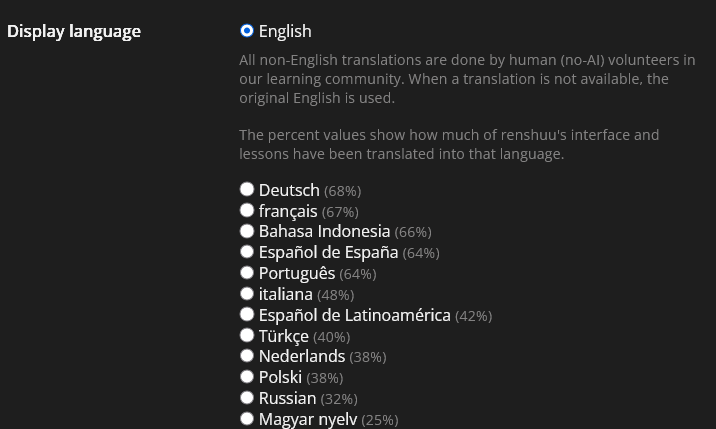
2. For all user-added data (usage notes, mnemonics, etc.), there should be all the options that are available in the dictionary language setting. If you see otherwise, please let me know!

3. For the original issue "I set a custom def, but it is still appearing in English" - what is your dictionary language set to?

2
22 days ago
avatar
Sakai91
Level: 387
マイコー (10月23日, 3:41)

Some updates:

1. More data on the UI options under settings, with all "available" languages visible

bd60c02d26a3b91e304af814.png

2. For all user-added data (usage notes, mnemonics, etc.), there should be all the options that are available in the dictionary language setting. If you see otherwise, please let me know!

3. For the original issue "I set a custom def, but it is still appearing in English" - what is your dictionary language set to?

​

The changes work great! Thank you so much!


Regarding the other issue:

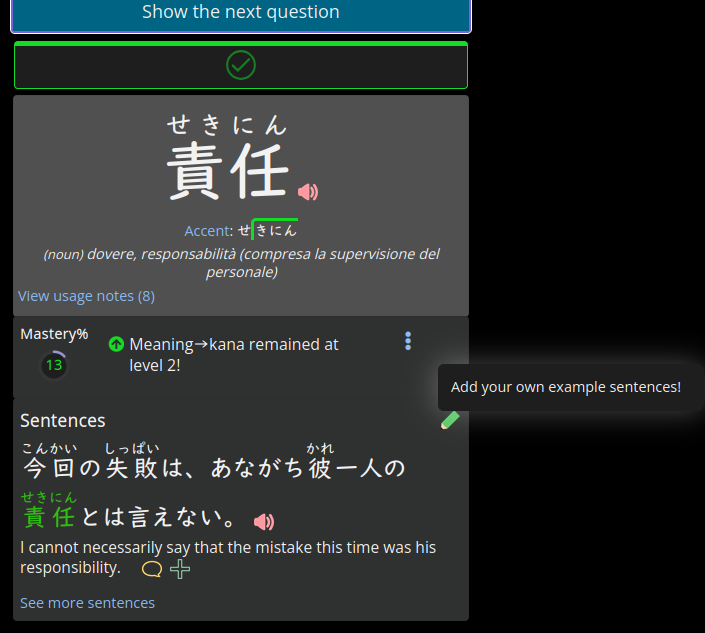
When I go to “community list” and select the phrases, I see that they’re in English, but when I edit the translation, I see it in correct Italian. (As shown in the image in the first post.) Right now, I’ve set both the dictionary and the UI to Italian with the new update.


I ran a few tests, and sure enough, the phrases I translate into Italian appear in my language in the quizzes. It’s probably just a minor bug in the “community list” section of Renshuu. So the system is working, and I can use it this way too. I don’t want to bother you any further.


On the other hand, if I add a phrase that doesn’t exist in the system, I don’t have any problems because Italian is the only translation available.


Since I was testing the feature for entering phrases that aren’t in the database, there’s one last thing I’d like to know, and then I promise I won’t bother you anymore.


I’ve entered some lines from a drama I’m watching. For example, when there are proper names, I have to put them in parentheses because otherwise the system treats them as separate words. For instance, the name 美紗 (Misa)—the system splits it into 美 and 紗. As the guide correctly suggests, I should put the word in parentheses —> (美紗)

So I click “Reparse,” and everything seems to work. The problem is that if, for example, I close the interface and then realize something didn’t turn out as I expected, and I click “Edit” again, I have to re-enter all the special characters to let the system know how to parse it. What I mean is that the system doesn’t retain the formatting I applied—is this situation intentional? I don’t know if I made myself clear—I was just curious. At least if there’s an answer, I’ll clear up my doubt and won’t bother you anymore!

0
22 days ago
avatar
Sakai91
Level: 387

Sorry マイコー for the double post—I'm just leaving a quick note.

I've run some additional tests, and I'll send you my analysis to see if it can be fixed; if not, that's okay because everything else is working fine.

I'm writing to you from Firefox, but I'm also experiencing the same issue on iOS.

I can confirm that both the dictionary and the UI are set to Italian.

IMAGE:

aaf313bfc02bffb0fb091798.png

First, I go to “Resource → Community List → ME → Sentences,” select the main list that groups the others, and then select the one I’m interested in.

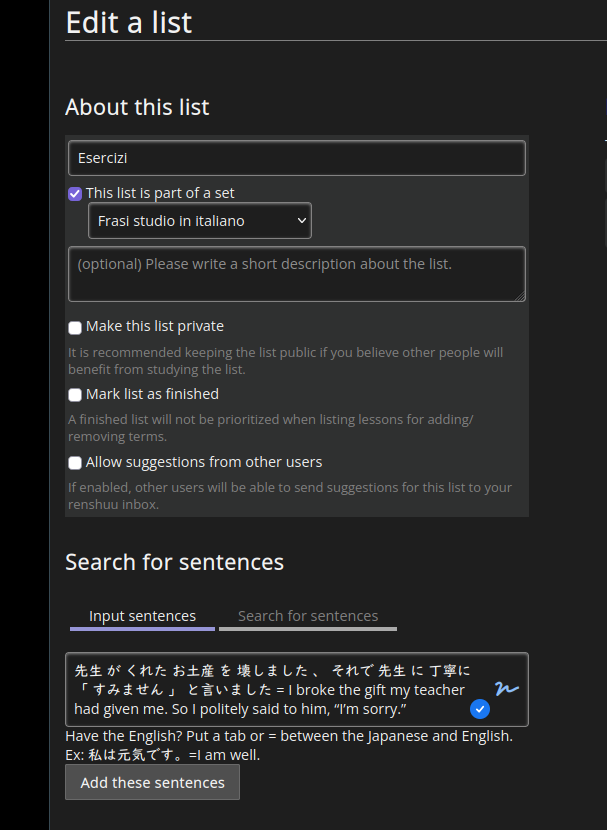
What I did was create a sentence and set the English translation as the main one,

so I go to “Edit a list” and enter the sentence

157cd02bc169df1ee8345775.png

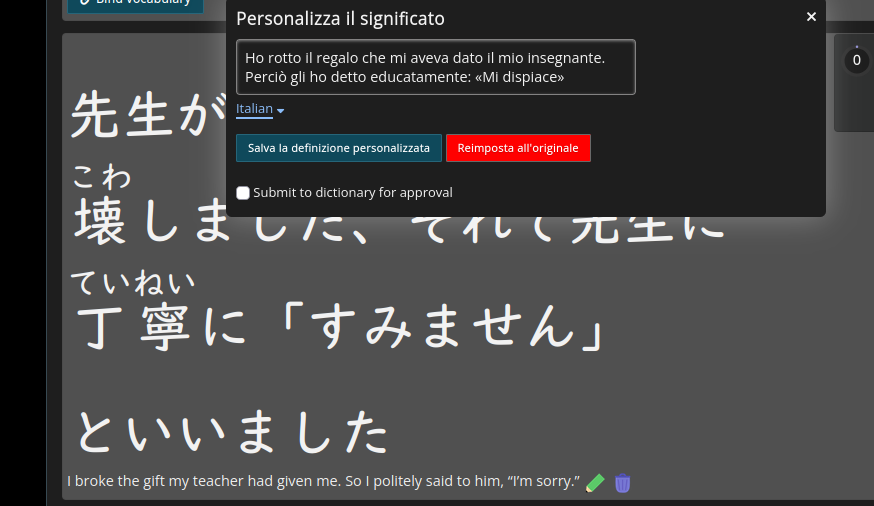
Then I click on “Customize meaning” and save it as shown in the image.

It's just that on this screen, it's still in English.

2926f194cdd36cbd2837d39f.png

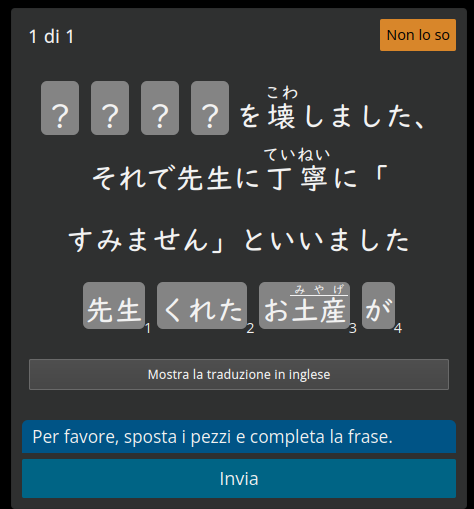
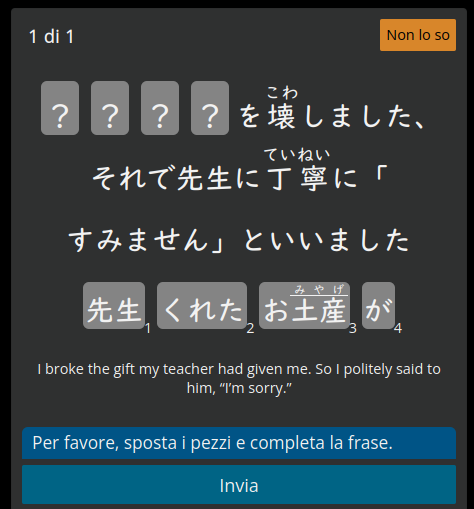
In the quizzes, I actually see it in Italian,

e5b692ada33b218b8dd82ce6.png

but this week I noticed that if I schedule the phrase for a specific list, it still appears in English, as shown in the image.

3c182c4cfc3b726dc9da694a.png 9f92c329b24e2b621322ff84.png

I'm noticing that the description actually says to display it in English. Could it be that the translation feature doesn't work in these cases?

- Thaks! Have a nice weekend!kao_sparkles.png

0
13 days ago
avatar
マイコー
Level: 346

Thanks for the extensive data! Let's try and work through one issue at a time. First, the Italian stuff in the last post.

Does that list you made with the sentence in it - is it just that one sentence? Do you mind if I jump into your account so I can replicate the issue?

0
10 days ago
avatar
Sakai91
Level: 387
マイコー (11月4日, 1:12)

Thanks for the extensive data! Let's try and work through one issue at a time. First, the Italian stuff in the last post.

Does that list you made with the sentence in it - is it just that one sentence? Do you mind if I jump into your account so I can replicate the issue?

​Hi, if you need to verify my account, go ahead please. No problem!

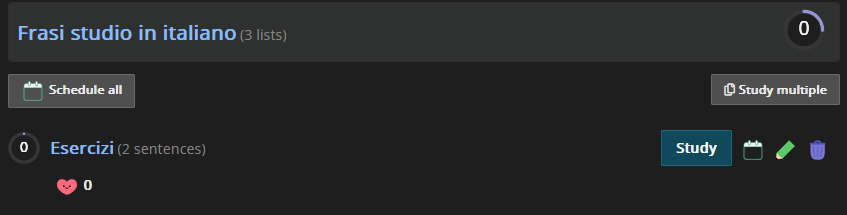
As for the issue: This is a test list, and it currently contains two sentences. These are sentences that didn't exist in the Renshuu database before.

681e0fee83346a20b7f6035a.pngThe example shown in the image from the previous post is configured as follows: I entered the Japanese version and added the original English translation. Then I entered the Italian translation and clicked “Save Custom Definition” but it remains in English. So if you were to check, you would see this situation.
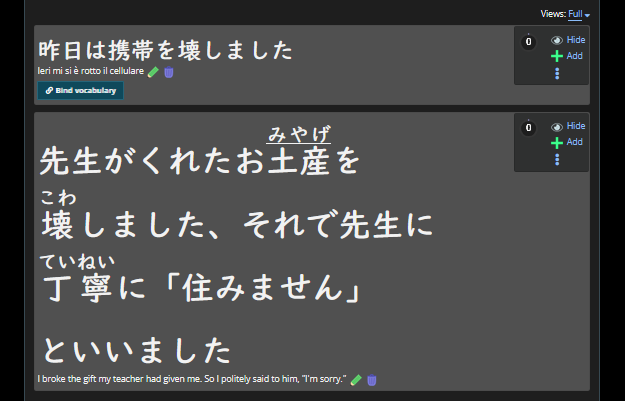
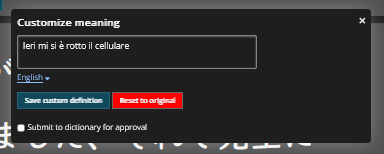
Similarly, for the other phrase, I clicked “Save Custom Definition” but selected “English” from the drop-down menu. As a result, the original English phrase was overwritten by the Italian one.
90a7404500da04a9767812c6.pnge3221afaf6fcb8a3332c9359.png


One additional piece of information I can give you is that I didn't check the box to submit the dictionary for approval.

I have another list where I add difficult sentences from quizzes that I'd like to translate into Italian, so these are sentences that are already in the system, complete with audio, and the situation is exactly the same as described above.

afd0478c8f6452f4a9d35b13.png56bd1b6b5439fd4858a19dda.png

If this is a big problem to solve, I can work around it by simply selecting the English option from the drop-down menu but entering the Italian translation. I need to check, but it might work. Plus, if I don't check the “Send to dictionary for approval” box, I can keep everything private and avoid messing up Renshuu. Let me know the best solution and thank you for the support!

0
10 days ago
avatar
マイコー
Level: 346
Thanks for waiting! I was dealing with migraines.

I think you hit upon an extremely rare edge case - writing your own sentence, and then adding a second translation to it.

I did adjust some things, and the Italian now appears on that sentence in the test list. I also applied to the same fixes to any other self-made sentences, so I think you'll see some significant improvement.

Work with it a bit, then let's look back at the other issues and still which ones are still persisting, and move on to them one-by-one.
0
3 days ago
Getting the posts


Page: 1 of 2


Top > renshuu.org > Bugs / Problems


Loading the list
Lv.

Sorry, there was an error on renshuu! If it's OK, please describe what you were doing. This will help us fix the issue.

Characters to show:


Use your mouse or finger to write characters in the box.
■ Katakana ■ Hiragana