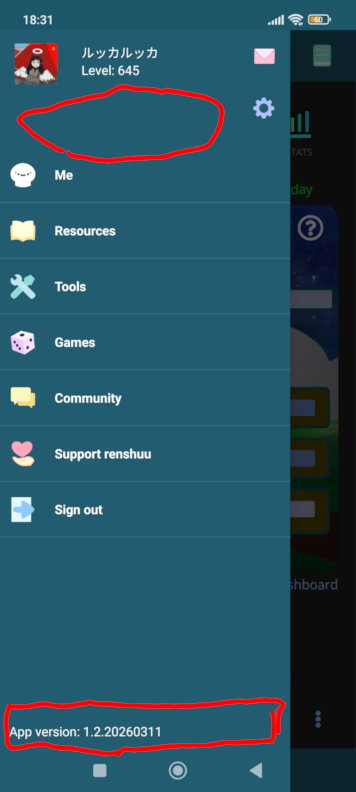
Similar but not the same, here only the encircled areas are affected as far as I can tell. Mine isn't really problematic, as it happens only in the areas that normally are not clicked. Encountered it purely by accident as the bus I was riding was shaking violently and I couldn't hit the intended button, smearing my finger all around the screen instead Still a bug nevertheless, and it's obviously up to Michael to decide whether it's worth spending any time on.
Absolutely device (or at least, OS specific). I know exactly what is causing the iOS issue, as does the flutter team, which is working on a fix to it.
This is low-priority, but still something I'd like to fix. For the top, it looks like empty space between other defined elements. For the bottom, though, it's happening even if you tap directly on the text?
Well, I'll be. I tried tapping it myself, and it did "bleed" through. I'll put this on the to-do list, as this is probably more easily fixed than the iOS nightmare.


 Still a bug nevertheless, and it's obviously up to Michael to decide whether it's worth spending any time on.