How can I combine/merge schedules? I have a bunch of schedules and it's starting to get overwhelming, but at the same time I don't want my community list schedules to be removed either. When merging schedules, does it gets rid of of those? Also, when merging schedules, can I merge all types of schedule together (grammar, kanji, vocab, sentences) or is it only one type of each?
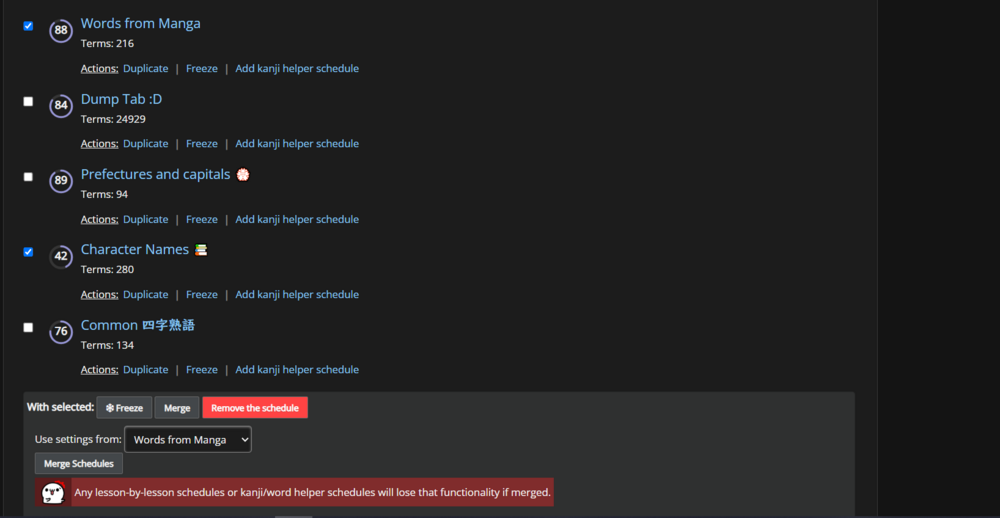
You can do it from "Manage your schedules". I'm not sure I quite understand what you mean by "I don't want my community list schedules to be removed either". I guess It might break the link between the original list and the schedule? I'm not sure. You could make some duplicates to test it out?
Edit: You can't merge different "types". I forgot to answer that question.
Basically I have a bunch of schedules I made using reading buddy for Japanese media like novels and video games, and I also made them public so people can use my schedules while using said media. But I'm worried that if I merge all my schedules that those schedules I made myself are gonna disappear, in other words I'm afraid that people won't be able to use my schedules anymore.
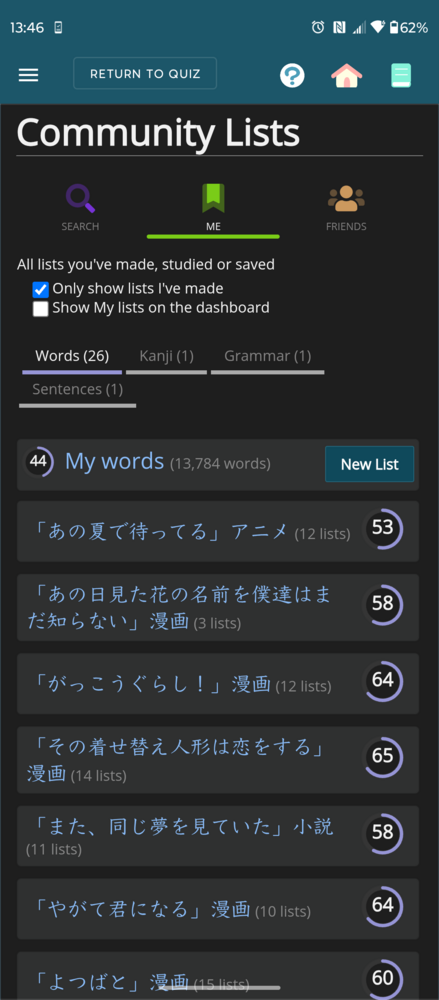
Those are "Lists", not "Schedules". Are you asking about merging Lists? As far as I know merging Schedules doesn't touch the original Lists that were used to make them.
Those are "Lists", not "Schedules". Are you asking about merging Lists? As far as I know merging Schedules doesn't touch the original Lists that were used to make them.
Let's say you have two Lists and you schedule each one independently. You now have two Schedules on your Dashboard, each linked to its respective List. You can do whatever you want to those Schedules, including adding terms, and it won't affect the original Lists. However, when you add terms to those original Lists, they also get added to any Schedules that use them. This seems to be the case even in merged Schedules.
I'm not sure how this works for other people using your Lists, but at worst they won't sync with any new terms you're adding.
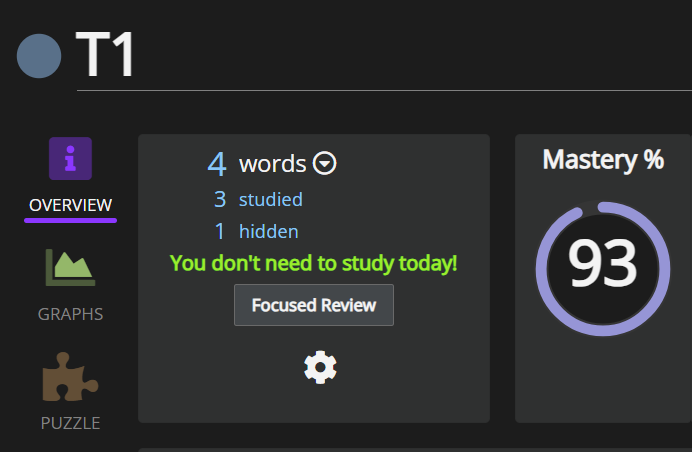
Edit: For example, this is a merged Schedule of two lists:
It doesn't touch the Lists it uses at all. And if you add any terms to either List, they'll get "synced" to the merged Schedule.
PS: If you were asking about merging actual Lists, I don't think you can do that. I think you *can* effectively "combine" them using Advanced Search, but it's not really the same thing.
Edit: And if you delete a List it gets removed from any Schedule that uses it. For example, if I delete "Test2", my merged Schedule (T1) will lose those 2 terms.
Did the Schedules get merged? Mine also "crashed" when I was testing it, but the merge itself went through (after a page refresh). I don't remember having issues the last few times I've done it though. Might be a new/temporary issue of some sort.
Did the Schedules get merged? Mine also "crashed" when I was testing it, but the merge itself went through (after a page refresh). I don't remember having issues the last few times I've done it though. Might be a new/temporary issue of some sort.
Okay now it's all good. I merged all my schedules, and my lists stayed, so I'm glad. However whenever I add a word to my lists using Reading Buddy that word won't show up in my merged schedule.