Fairly new to the platform, I have been learning the words for Japanese words but today it has started to include kanji. I have not yet started to learn Kanji, only added to my schedule today. Any ideas what I have done or what it is doing? Thanks in advance.
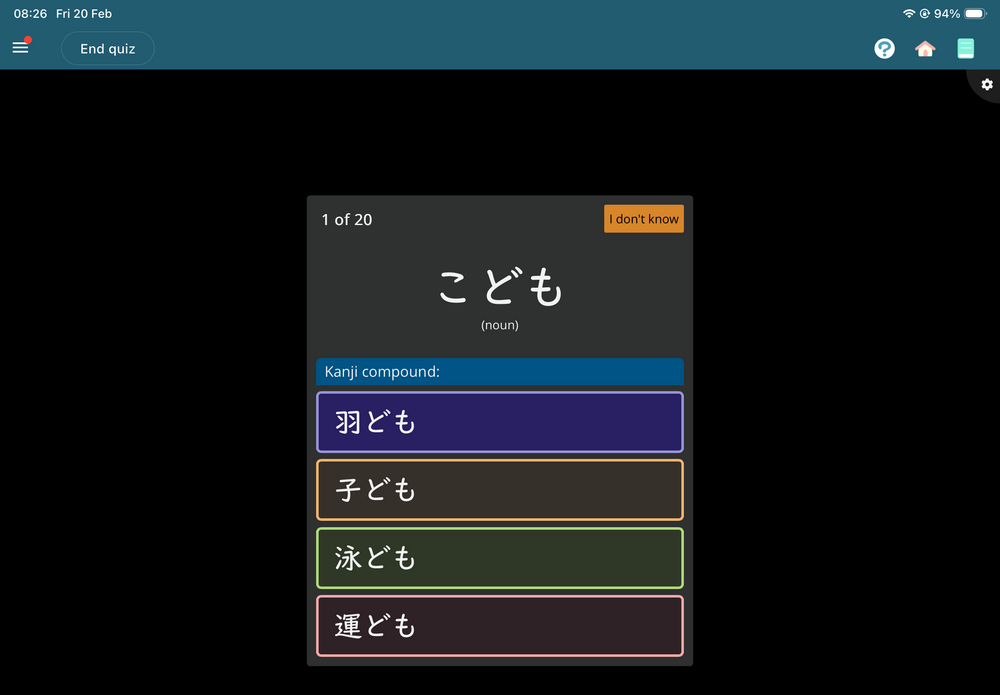
I have attached an image of the type of question appearing.
Are you good in Kanji? I'm struggling a little bit it gets better
I have not studied any kanji yet so the change in the basic word schedule was a shock. I am working out how to learn kanji as nothing makes sense now.
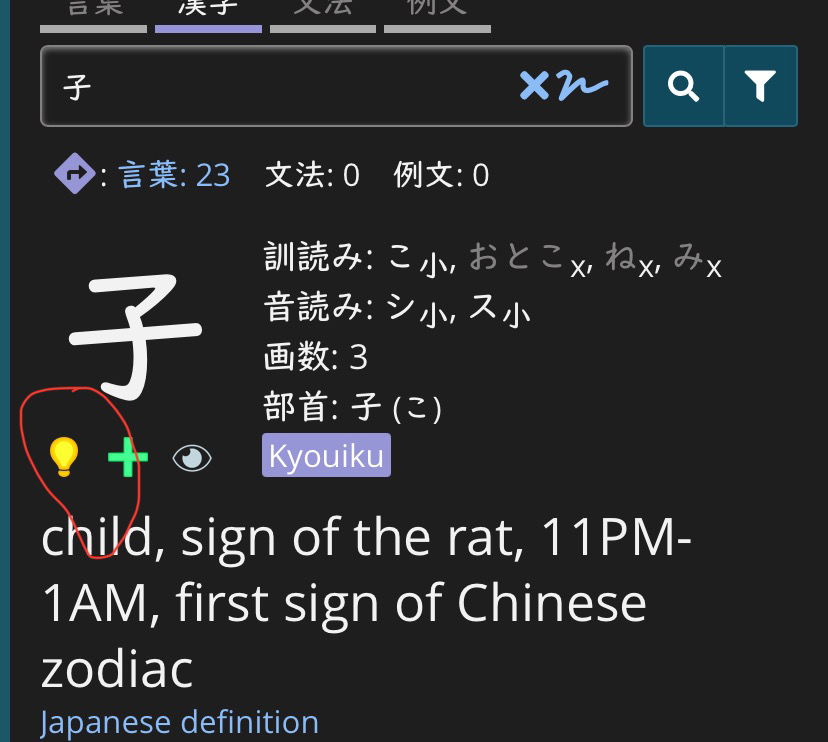
GreenOrca, depending on how you answered the onboarding questions when you created your account, renshuu may think you already know some kanji. You can correct its information by turning off the light bulb on each kanji it thinks you know.
If that’s seems like too much hassle, you can do a bulk update using the kanji search tool, but that might be a bigger sledgehammer than you need.
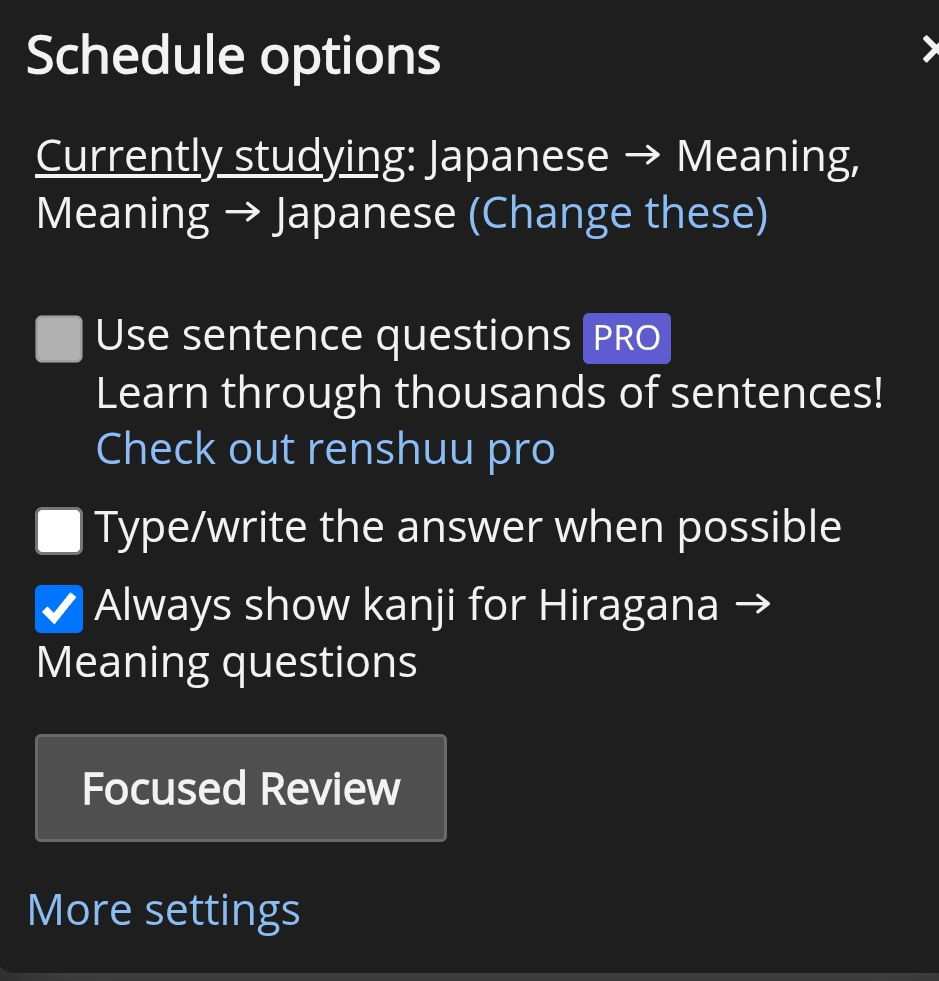
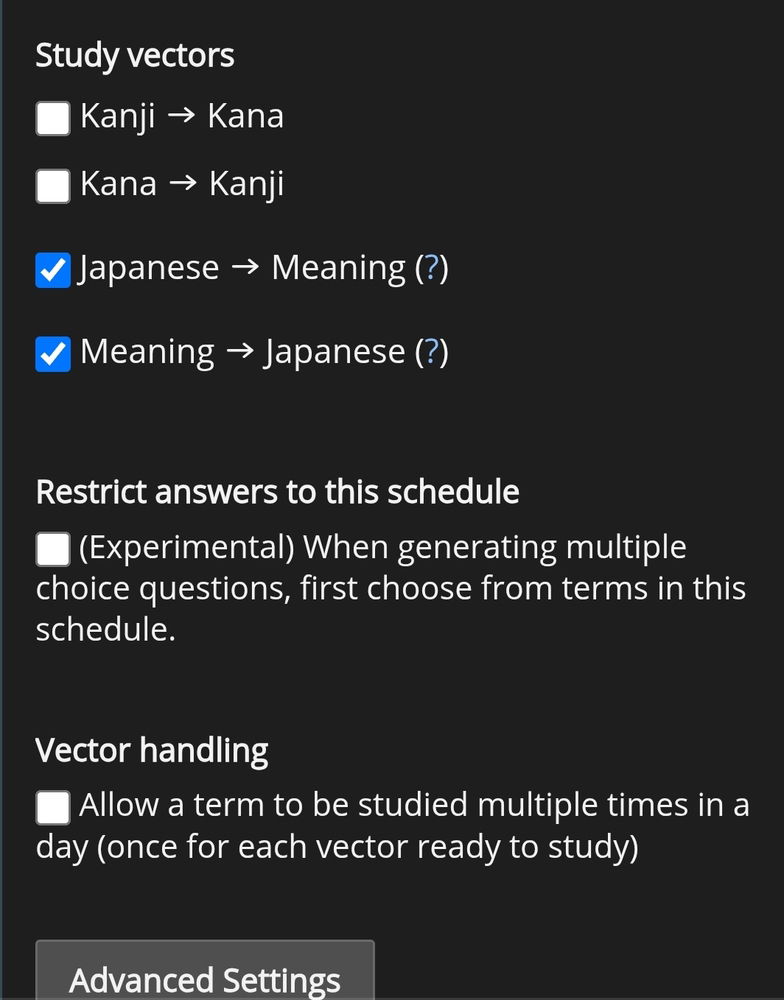
Go to settings for Basics (there should be a button next to it) and deselect kanji, this has happened to a few beginners this week. Presumably a bug made everyone's kanji option switch to 'yes'
Go to settings for Basics (there should be a button next to it) and deselect kanji, this has happened to a few beginners this week. Presumably a bug made everyone's kanji option switch to 'yes'
Please could you provide a screenshot so I can see which setting it is, I can't seem to find it. Thanks.