Hi マイコーさん、I'd like to suggest a few things for the add/remove materials page for a schedule. They are "quality of life" requests, but not necessarily "can't live without" sort of suggestions.
<Search bar upgrade>
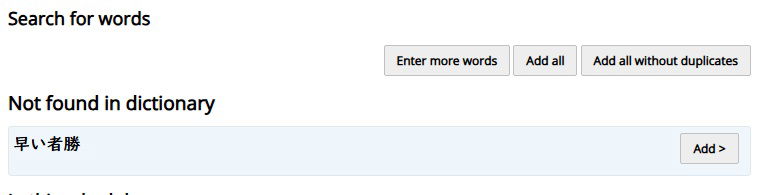
1. Sometimes I mistype a word, misspell a word, or accidentally entered two words at a time, but there is no option to edit what I've entered and re-do the search. When you hit "Enter more words" it clears the search bar altogether. So my first suggestion is to have an 'edit search' button so we don't have to rewrite (tablet pencil) or retype our search from scratch.
2. Could we have the handwriting input function in the search bar in the add/remove materials page. I find it very useful in a pinch on the dictionary tab, and would love to have it in the search bar for the add/remove materials page. As of right now, I have to open the dictionary tab, use the handwriting input function, then copy paste it over to the search bar in the add/remove materials page. It's not that big of a deal when I'm on a desktop/laptop, but it's more of a hassle when I'm using my phone or ipad (due to lower accuracy in highlighting/bringing up menus).
<Parsing>
3. Sometimes there's a chunk where I'm not sure if it's two separate words or one compound word. The dictionary tab is brilliant because it will tell me if it's one or the other. But if you search in the add/remove materials page, and it's not a compound word it will just say "Not found in dictionary" rather than showing that it's two different words like the dictionary tab does. Could this function be added to the add/remove materials search bar too? Right now if I can't parse it, I have to open the dictionary tab, copy paste or retype it all out, run the search, then redo the parsed version of the search in the add/remove materials page.
<Adding New Terms>
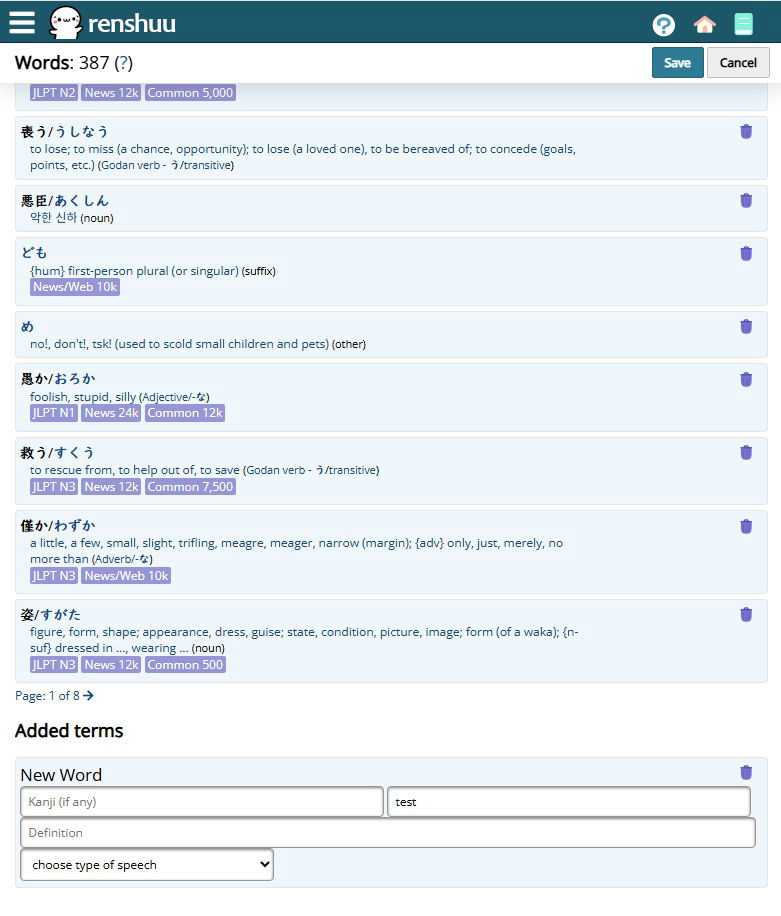
4. When manually adding new words that aren't in the dictionary, I have to scroll all the way down to the bottom of the page, past all the words that are already in the deck until I reach the Added Terms section. Could the 'Added Terms' section come before the 'In this Schedule' section please? It is a pain to scroll all the way down to fill in the rest of the form before scrolling all the way back up to add the next word.
5. It would be nice to be able to sort the words in the 'In this Schedule' section in reverse order so the most recently added words appear at the beginning of the list. Because sometimes I add a new word and go to add the next word, then second guess myself and navigate to the back of the list to double check that the previous word has indeed been added. If it was at the top of the list it would be easier to check what I recently added.
Thank you for considering!


