With the January release of the Study Groups, I'm replacing the forum editor with a new version, and adding a few new goodies! (I've wanted to do this since forever)
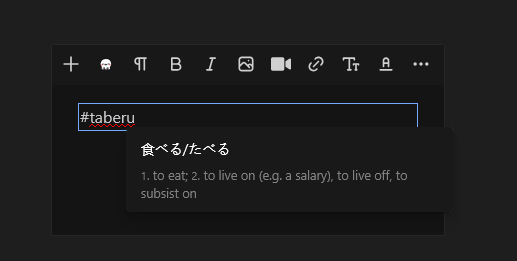
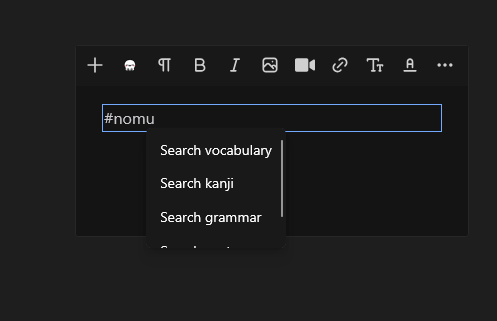
What you're looking at is that I typed a #, then whatever I would have searched for in the vocab dictionary. It looks it up, then you can tap on the specific entry. Much more targeted than the current # functionality.
On top of that, in the actual post, it will show the term (食べる/たべる), and you can tap on it like you do words in a sentence to get more info, add to a schedule, all that good stuff.
It works QUITE well so far (not available to other users yet), but I'd like to expand it out to kanji, grammar, sentences, and possible lists in the community lists.
Currently, dictionary links are made using #, ##, or ### for words, kanji, or grammar (respectively). If we were to follow with #### for sentences, we'd need something else for community lists as well! Doesn't really scale.
The lookup tool in the new forum software is not overly complex, so I am somewhat restricted by what I do. I'm not sure I could have a second popup that says "choose what to search", then lookup based on that. Seems clumsy.
So, should I have a different character for each lookup type? #, @, <, > (for example?)
Thanks for the feedback! At the moment, I'm leaning towards the dropdown. While those suggestions are very clean, I do not think they will be assimilated as easily by regular users, especially if they are on mobile, and don't want to switch over to symbols on their keyboard. I could even switch the # over to ? to make it even easier for them to stay on the same keyboard.
This is live! It hasn't been overly battle tested, so releasing it silently. The system had issues with using ? as a marker, so I stuck with #.
Give it a shot, and let me know if you can create any issues. (I have no doubt we'll have some, especially with the entry system.) If you see something, try and give exact steps, and if possible do it with a clear form so it's easier to reproduce.
I can’t see the text I’m typing right now. It’s off the top of the input box.
Or maybe it’s just invisible. Earlier I tried to post multiple examples of 第一, but couldn’t get any more than one to work.
I can’t see the text I’m typing right now. It’s off the top of the input box.
Or maybe it’s just invisible. Earlier I tried to post multiple examples of 第一, but couldn’t get any more than one to work.
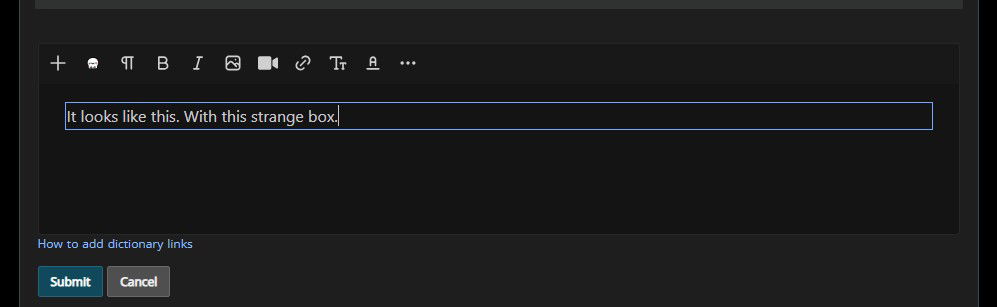
The blue box? That's just part of the new system, although I may edit it out.
Yes, I was referring to the blue box. It seems to be working okay (for me). The look / feel just seemed strange after being used to the old interface for so long. It'll just take a couple days to get used to it.
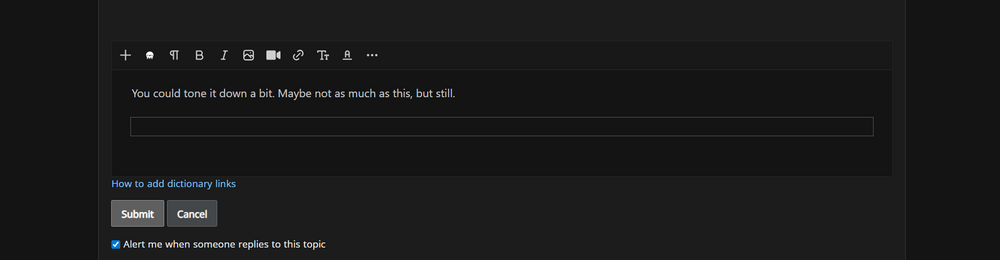
You could tone it down a bit. Maybe not as much as this, but still.
(I might remove it for myself)
Edit: I think my "issue" (just personal preference) is that it's always visible. Besides that it seems to work fine. One thing I noticed is that sometimes the lookup doesn't terminate after you've picked the term. The text cursor stays in lookup mode and you have to delete it manually. Seems to happen when I select into a linked term. Arrow keys or mouse.
I did remove the blue box - I think I had ignored it originally, but I would like to keep to the original feel as much as possible, so it's gone :)
For the lookup not terminating - can you give a specific set of steps, or even better, a video showing the issue? I'd absolutely love to knock out that issue.
Feels like a bug. At around 15 seconds I left-click and it goes back into "lookup" mode. At around 36 seconds I'm just using the arrow keys.
It's possible I'm misunderstanding how it's supposed to work though.
Update: Tested it some more and it's not that big of a problem, you can just hit right arrow to get out of it (or DEL). I guess I just need to get used to it. It feels pretty clunky though. I got a few other small bugs with the text cursor and backspace, but now I can't replicate them :D
Felt left-click related.
The cursor jumps to the far left on ctrl-z for some reason.
Backspace sometimes doesn't work.
(only when editing)
I like how the icons (kao-emoji) stick on scroll, but the bar itself doesn't. Pretty sure it used to. I need to scroll up to access it, which feels worse than before.
セージ - what browser/app are you using when that happens?
The editor library has lookup/replace functionality built in, but I'm extending it significantly, so that is generally where these issues are coming up.
Here is what is happening, and most likely the cause of 95% of the issues. The replace library is meant to replace text with text or html. In this case, it is replacing it with specifically crafted cite tags (which renshuu doesn't use anywhere else) that include data elements for lookup. If I don't have that, there is nothing for the system to latch onto and provide the lookups, but unlike the previous # usage, I'd like to keep that data hidden (no one needs to see "vocab, id 12345" - they want the word itself!).
When you are tapping you are tapping inside of those cite tags. You can see the same thing happening with the vanilla version of the plugin here: imperavi.com/redactor/plugins/mention/
I cannot replicate the ctrl-z issue. With backspace, I'll need to see a specific example. Ideally, with things that do not appear to be related to the lookup tool, an example without any of those will help make it easier to find the issue.
The floating toolbar was an oversight - should be good now!
Oh, Im on safari. From what I understand safari is kinda mischievous for these kind of problems? The cursor is being placed inside the <cite> lookup element from what I understand.