I'd like to put in my up-vote for this request. I have over a thousand items showing in various categories under "My Writing" and I'd like to be able to have a copy of those for myself, especially as I continue to add. Thank you!
how do you export a list as a spreadsheet file from the “my writing section?”
I'm not sure how useful you'd think you'd want to do that. That's your own writing, not study material. The study material that you're getting input from is in schedules, which can be obtained in the schedules themselves or from the community lists that the terms in the schedules come from. The only thing you can't obtain a list/PDF directly from is grammar, for some reason. You'd have to make your own document from scratch for that, even if that means just copying the contents to a document or printing from a browser.
FYI, the only thing that gets you to print to PDF directly is for kanji, AFAIK. Even at that, it is the most broken feature on the site, it's not worth using. You aren't skimped out from downloading a spreadsheet file. The spreadsheet file is editable itself because it's just basically a type of text file. You just import it to something that turns it into a spreadsheet. All you need is a spreadsheet app to open/upload it (like Excel, or something similar, Google Docs, etc.). Then you can use that to print or save in a format however you like.
There is not a direct way to do this, unfortunately. If you are a programmer, it might be easier to get the text/images via the API (under Tools in the menu).
”I'm not sure how useful you'd think you'd want to do that. That's your own writing, not study material.”
I have over 1000 mnemonics and over 400 usage notes. The whole purpose of creating these was to aid my study. So they are very much a part of my study material.
We're not here to tell someone that what they want to do is not useful to *them* (which is quite subjective) - let's try and help others with their requests.
@Jules.33 Do you want the full downloadable "Visualise the mnemonic" cards or would the format you see in the dictionary and "My writing" do? You say "PDF", but what exactly are you envisioning? Do you want something that's also searchable? Is this just for print?
@Jules.33 Do you want the full downloadable "Visualise the mnemonic" cards or would the format you see in the dictionary and "My writing" do? You say "PDF", but what exactly are you envisioning? Do you want something that's also searchable? Is this just for print?
@Jules.33 Do you want the full downloadable "Visualise the mnemonic" cards or would the format you see in the dictionary and "My writing" do? You say "PDF", but what exactly are you envisioning? Do you want something that's also searchable? Is this just for print?
I am sure @Jules.33 will have his own answer, but for me, all I need is something similar to what is available for lists now, an option for a text file that I can save, and which would include any or all of the categories (mnemonics, usage notes, etc.) that appear under "my writing." I can see the results on screen of what I have written with the existing functionality today, just interested in saving that result to a file. (The alternative of hundreds of copy and pastes: my mouse and I will never recover... ;-)
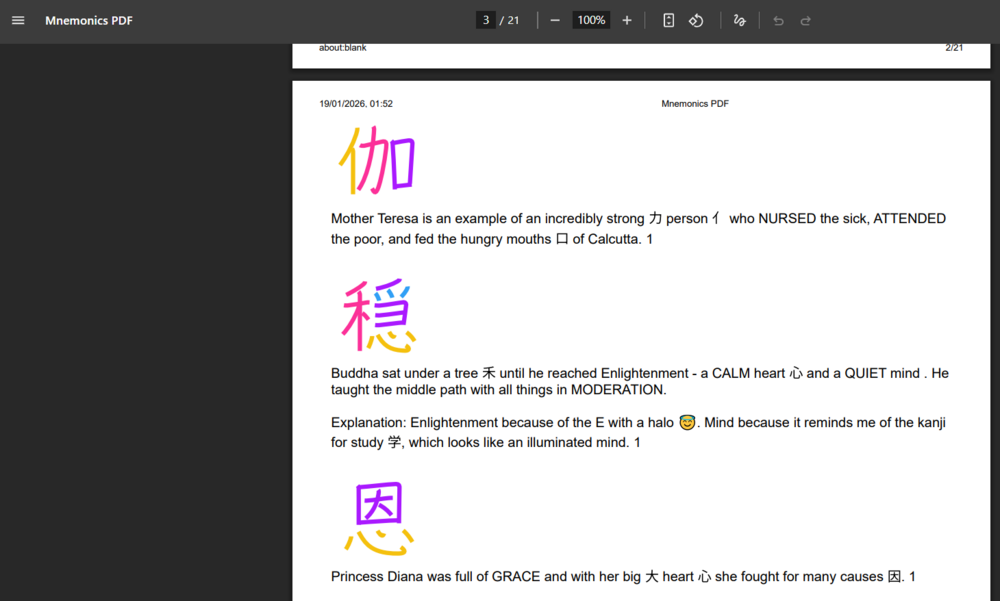
I wrote a script that pulls mnemonics to a PDF. So It *is* doable if you know some JS and how to use Tampermonkey. I mean, there're a few ways you can do this, but that's what I ended up using. Example with the first 5-6 pages from @Jules.33. It can do all of them, of course.
It doesn't seem difficult to implement something similar. Probably not high-priority for Micheal though.
Edit: I forgot about Mobile, that would probably be a PITA :D
By the way, you can't easily scrape the HTML, there's dynamic content generated by JS. It'd be very difficult to do for someone with zero coding skills. Unless you're talking about skimping on automation... at which point it's not worth it.
I should probably clarify that in my original answer, I assumed the OP was asking about the PDFs of kanji mnemonics. These can be downloaded one by one, but there is no support for combining multiple files into a single document. There are third-party tools that can concatenate PDF files, but I don’t know how well they work in practice, since PDF wasn’t originally designed to support editing. To the contrary, it went to a lot of trouble to make the files as immutable as possible.
It would presumably be possible to modify the code that renshuu uses to generate the files in the first place, but as Michael has noted on more than one occasion, working with PDF generating code is a PITA, and he understandably doesn’t want to get into it without a very good reason.
However, if we are just talking about scraping HTML, then the story is much simpler, and there are many options available. So many, in fact, that I have no idea what to recommend.
I was envisioning being able to download the mnemonics and the usage notes from the “Me” menu. Usage notes could be a basic list, but the kanji mnemonics need the images to be useful. I’m sorry, but I have no computer programming knowledge. So unless it’s a feature of the app, or can be done with some simple instructions, I won’t be able to do it. I am using IOS on my mobile phone.
ギョルギ九十三 It doesn’t need to be searchable. Just the way it looks in “my writing” would be fine.
I’m having trouble using the quote feature in the forums now, so I apologize that my responses are not directed to individuals properly. When I tap the quote link, the text box doesn’t appear. I can only submit new posts.
The quoting issue is probably due to Michael switching back to the old software for the Forums.
Is the format I show in my previous post good enough? I can't easily get the dictionary data for each kanji, so things like readings and definitions are realistically off the table.
It's not really a solution, but I could try to generate a PDF for you and give you a download link?
PS: @oritori I'd offer the same thing, but yours seem to be mostly private.